DLP Is a Process, Not a Product
One of the most common misconceptions about DLP is assuming it works like a firewall:
- Installed once
- Enabled with default rules
- Forgotten until something breaks
That approach guarantees failure.
Effective DLP is a continuous lifecycle that follows data wherever it goes — across endpoints, networks, and cloud services.
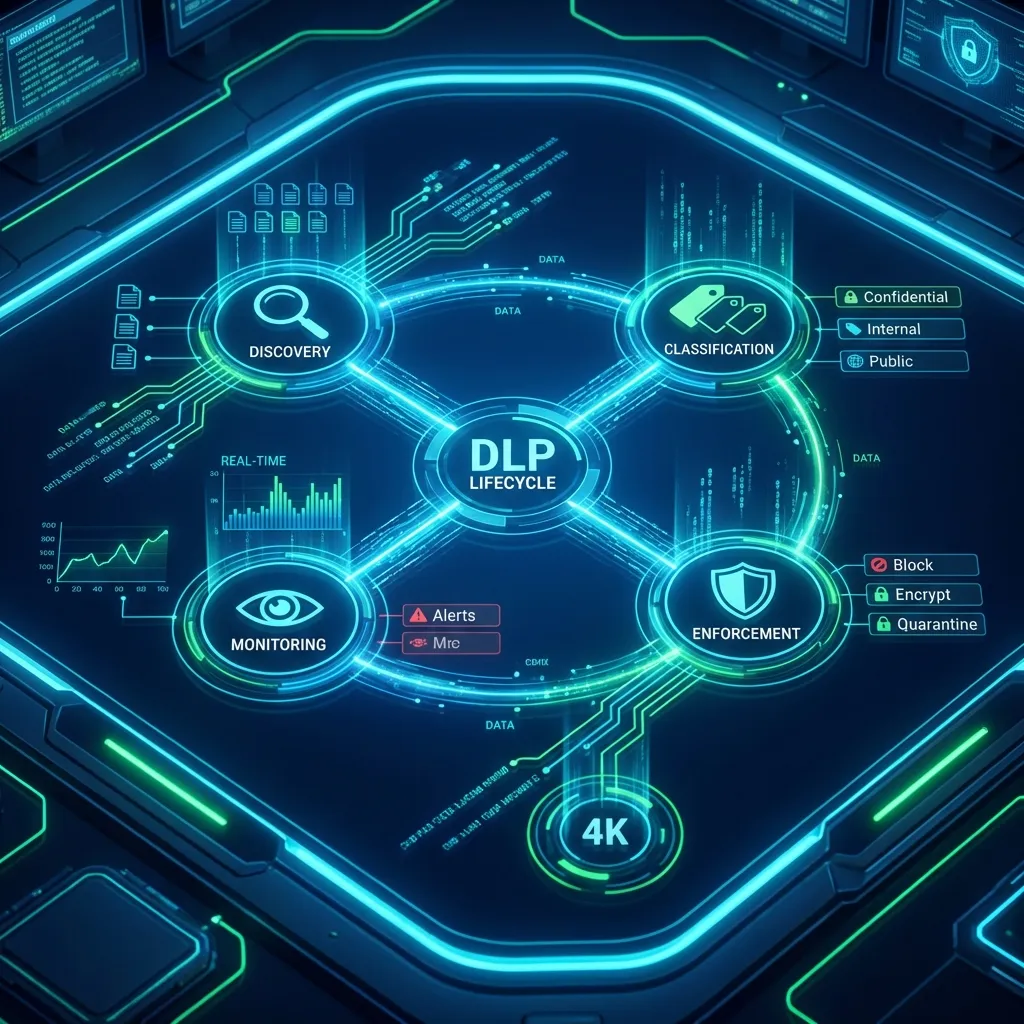
Step 1: Data Discovery — You Can’t Protect What You Can’t See
The first question DLP must answer is brutally simple:
Where is your sensitive data?
Most organizations don’t actually know.
What Data Discovery Does
DLP systems scan:
- File servers
- Endpoints
- Email systems
- Databases
- Cloud storage
- Network traffic
They identify both:
- Structured data (databases, CSVs)
- Unstructured data (documents, emails, PDFs)
This phase often reveals uncomfortable truths:
- Sensitive data stored in the wrong places
- Legacy files nobody owns
- Copies scattered across environments
Step 2: Data Classification — Context Is Everything
Not all data deserves the same level of protection.
Classification assigns meaning to data.
Common Classification Categories
- Personal data (PII)
- Financial information
- Health records
- Intellectual property
- Source code
- Contracts and legal documents
Modern DLP uses multiple techniques:
- Pattern matching (IDs, card numbers)
- Keywords and context analysis
- Digital fingerprinting
- Exact data matching
The result:
DLP no longer protects files — it protects content.
Step 3: Policy Definition — Translating Risk Into Rules
Once data is classified, policies define what is allowed and what is not.
Example DLP Policies
- Personal data must not leave the organization via email
- Source code cannot be copied to removable media
- Financial documents cannot be uploaded to external cloud services
- Sensitive data requires encryption before transfer
Good policies are:
- Specific
- Context-aware
- Role-based
- Enforceable
Bad policies are vague — and impossible to enforce.
Step 4: Monitoring Data In Use, In Motion, and At Rest
This is where DLP differentiates itself from traditional security tools.
Data States Covered by DLP
- Data at rest: stored files and databases
- Data in motion: email, web, network transfers
- Data in use: opened, edited, copied, printed
DLP operates inside normal workflows, not outside them.
It observes:
- Who accessed the data
- From where
- Using which application
- For what purpose
Step 5: Real-Time Enforcement — Where Prevention Happens
Detection without enforcement is logging.
DLP goes further.
Possible Enforcement Actions
- Block the action
- Encrypt the data
- Quarantine the file
- Alert the user
- Notify administrators
- Log the incident for audit
The key point: Decisions are made before data leaves control.
This is what turns DLP from visibility into prevention.
Step 6: Logging, Reporting, and Compliance Evidence
Every action matters — especially during audits.
DLP systems provide:
- Detailed event logs
- Policy violation reports
- User behavior analytics
- Compliance dashboards
When regulators ask:
“How do you prevent data loss?”
DLP provides proof, not promises.
Why DLP Fails in Some Organizations
Not because the technology is weak.
But because:
- Discovery was skipped
- Classification was rushed
- Policies were unrealistic
- Enforcement was disabled “temporarily”
- Business workflows were ignored
DLP succeeds when it aligns security, compliance, and business reality.
Final Thoughts
DLP is not a blocker.
It is a decision engine for data movement.
When implemented correctly:
- Data flows securely
- Users stay productive
- Compliance becomes demonstrable
- Incidents are prevented, not explained
In the next article, we will deep-dive into DLP architectures and compare Network DLP, Endpoint DLP, and Cloud DLP — including where each one shines and where it fails.